Table of Contents

Secure cloud storage for media and 4K video streaming
Rabata: Reliable media storage across all your devices
Imagine a cloud storage that doesn’t just hold your files, but treats your videos like VIPs, streaming them in crisp 4K quality no matter where you are or the device you’re using. That’s exactly what Rabata aims for. It’s perfect for anyone who values seamless playback and high-resolution media without the usual file size headaches.
Rabata’s lifetime subscription option is not just a plan-it’s a commitment to long-term peace of mind. Why keep paying month after month when you can make one smart investment? Think of it as securing your media kingdom for life, with a price that competes seriously with the giants like Apple or Google.
Advantages of Rabata cloud storage
- Stream video files in brilliant 4K from any device - no matter if it’s a cozy phone screen or a big living room TV
- No file size limits, so your ultra-high-res videos and huge projects fit with ease
- One-time lifetime payment option that lets you forget subscriptions forever
- Effortless syncing - think of it as magic folders that always stay updated without you lifting a finger
- Robust file versioning and recovery options, protecting you from accidental deletions or those “oops” moments
What Rabata doesn’t do (and why it’s okay)
Sure, Rabata doesn’t overload you with fancy extras like work apps or entertainment bundles. It keeps things focused and simple. No confusing bells and whistles, just rock-solid cloud storage where it counts. If you’re after serious media management and straightforward access, Rabata speaks your language.
It also proudly supports full cross-platform use. Whether you’re team Windows, Mac (including Silicon-optimized Macs), Linux, iOS, Android, or just prefer the web, Rabata syncs smoothly in the background, so your folders feel like part of your device’s native system.
The standout feature here is the peace of mind Rabata’s file versioning brings. Delete a project by mistake? Restore old versions easily. Rabata keeps your history fresh for up to a month on standard plans, and longer options are available if you like to play it safe.
Rabata pricing at a glance
| Plan | Details |
| Free | 10GB storage, perfect to test the waters |
| Monthly | $4.99/month for 500GB up to $19.99/month for 10TB, flexible and no commitment |
| Lifetime | One payment up to $1,190 for 10TB - think of it as a forever home for your media |
Why Google Drive Is a Smart Cloud Storage Choice for Small Businesses and Google Workspace Users
Google Drive: Features for Every Device and User
Google Drive works everywhere you need it - Windows, Mac, iOS, Android, or right in your browser. It’s like that reliable friend who always shows up, whether you're at home or on the go. One of its shining perks is the ability to free up space on your device by keeping certain files in the cloud only. So, your laptop doesn’t get bogged down, yet you still have instant online access to all your stuff whenever you need it.
Another great advantage is the seamless photo backup with Google Photos. No more fearing losing those candid snaps or important screenshots; Google Drive has your back with reliable automatic backups that happen quietly behind the scenes.
The Catch: When Google Drive Is Your Only Game in Town
There’s a downside, though - Google Drive is the only place you can work with Google Docs, Sheets, and Slides files. Yep, if you’re deep into Google’s ecosystem, you don’t get much choice here. All those documents, spreadsheets, and presentations live in Google Drive exclusively, which might feel like putting all your eggs in one basket.
If you’re picking Google for your cloud storage, there are two flavors to choose from: Google One and Google Workspace. Google One is aimed at individuals, bundling storage for photos, files, and Gmail under one roof. On the flip side, Google Workspace is geared towards businesses, offering custom email domains, enhanced security, and perks like document signing, depending on what plan you pick.
Either way, services like Docs, Sheets, and Slides play nicely only if your files live in Google Drive. So, if you're already using Google’s office suite, it makes sense to keep all your cloud storage there, too.
Stream or Mirror - Choose Your Storage Adventure
Google Drive lets you decide how you want to manage your files on your device: Stream or Mirror. Streaming means your files stay in the cloud-you need internet access, but your device’s storage stays clear. Mirroring duplicates files both locally and in the cloud. This means you can grab your files offline, and when you reconnect, Google Drive syncs everything neatly. Personally, I stream big folders I rarely touch and mirror the essentials I want at my fingertips all the time. This combo keeps my devices speedy and my files accessible.
Small business owners will appreciate how Google Workspace adds value. Besides hassle-free Gmail-powered business emails, it opens the door to third-party app integration with Google Drive. Unlike some rivals, Google Drive plays well with solutions like Synology Cloud Sync, allowing automatic, effortless backups from network-attached storage drives. It’s peace of mind with minimal fuss.
For me, Google Drive is indispensable. It's not the cheapest for NAS backups, but it’s straightforward, integrates well with my daily workflow, and is essential for working on Google’s Docs files. Once you get used to it, Google Drive just ticks all the right boxes for most users.
Here’s a little pro tip: link Google Drive to thousands of apps using Zapier. For example, my workflow automatically creates a new Todoist task whenever I add a new client folder in Google Drive. That keeps deadlines in check and stress levels low. Seriously, automation is where Google Drive really shines-once you plug into clever Zaps, your cloud storage stops being just a storage and starts acting like a smart assistant.
Easily Upload Zoom Recordings to Google Drive
Need to keep your Zoom meeting recordings safe? Google Drive makes uploading and storing them straightforward, so you won't lose that important conversation or webinar. All your videos stay neatly organized and accessible anytime you need.
Google Drive Pricing at a Glance
| Free tier | 15 GB |
| 100 GB | $1.99/month |
| 200 GB | $2.99/month |
| 2 TB | $9.99/month |
| Workspace 30 GB + features | $7/month |
| Workspace 2 TB + features | $14/month |
| Workspace 5 TB + features | $22/month |
Secure Cloud Storage: 10 TB Plan
$9.99 per Month for 10 TB Storage
Imagine having 10 terabytes of space at your fingertips. That's enough room to store thousands of high-res photos, endless hours of videos, and all those important documents you keep promising yourself to organize. With Rabata’s 10 TB plan, you get just that - massive, secure storage without breaking the bank.
This plan doesn’t just stop at a big storage number. It includes all the perks from our 2 TB plan too. So, expect seamless file syncing, enhanced security features, and zero hassle with yearly logins. Yes, no need to remember another ‘annual sign-in ritual’ to keep your files safe and sound.
- 10 TB of high-speed, secure cloud storage
- Everything included in the 2 TB plan - simple, fast, secure
- No awkward yearly login ceremonies - access when you want
Ready to upgrade? Hit that sign-up button and let Rabata handle your digital clutter. Want options? We’ve got those too - explore more plans tailored for all kinds of storage needs.
Yes, the 10 TB plan is like your digital jumbo jet - big, reliable, and flying 24/7 to keep your data safe and accessible whenever you fancy. With Rabata, the cloud isn’t just safe, it’s your new digital playground.
Why Choose Rabata? Our Unbeatable Numbers
Top Cloud Storage Options for Video Files in 2025
Choosing the right cloud storage for your videos can feel like finding a needle in a haystack. You need space, speed, security, and simplicity all wrapped into one seamless experience. That’s exactly the kind of excellence we’re after when we size up the contenders.
After a thorough dive into features, performance, and safeguards, we’ve lined up the best options you can’t afford to miss. These services bring robust protection, fast uploads, and smooth playback to make sure your precious videos are always just a click away.
pCloud - Secure and Spacious
pCloud stands out with its generous storage plans and strong encryption. If you’re juggling large video files, this service handles the load without breaking a sweat. It’s like having a personal vault that’s roomy enough for all your cinematic masterpieces, yet locked tighter than Fort Knox.
Internxt - Privacy First
When your videos deserve absolute privacy, Internxt is the silent guardian you want on your side. It boasts zero-knowledge encryption, meaning even Internxt can’t peek inside your files. Perfect for filmmakers and creators who value discretion as much as quality.
NordLocker - Strong Safety Net
NordLocker brings military-grade encryption wrapped in an intuitive interface. It’s like having a secret agent watching over your files, ensuring they’re safe from prying eyes without making you jump through hoops.
Dropbox - The Classic Workhorse
Dropbox may be the veteran here, but it’s still a reliable player when it comes to video storage. Its syncing and sharing features are smooth and straightforward, making collaboration on video projects a breeze.
Sync.com - Privacy Without Compromise
With Sync.com, you get end-to-end encryption and a straightforward experience that doesn’t skimp on security. It’s perfect for anyone who wants peace of mind and hassle-free cloud storage for their video treasures.
Key Features of the Best Cloud Storage for Videos
Before diving into our carefully curated list of top-notch cloud storage services for videos, it's worth setting the stage with a little clarity. What exactly should you expect from the best cloud storage geared for your video collection? And how does it stand apart from general storage solutions? Let’s break it down-because when it comes to storing your videos, average simply won’t cut it.
Every cloud solution designed for video storage should meet some non-negotiable standards. Videos aren’t just files; they’re memories, projects, stories worth every byte. That means speed, space, quality, security, and ease of use all have to pull their weight.
Fast Uploads and Downloads
When video files start hitting the 10 GB mark and beyond, speed becomes your new best friend. If your cloud provider drags its feet uploading or downloading your precious 4K footage, frustration is guaranteed. Rabata understands this perfectly. That’s why our storage solutions focus on lightning-fast transfer times, so your videos move to the cloud as quickly as a cat chasing a laser.
But it’s not just about speed. Rabata also ensures zero quality loss when you upload your videos. Forget about compression horror stories. Whether you’re recording from the latest smartphone or professional gear, your footage stays pixel-perfect, crystal clear, and untouched.
Plenty of Space to Grow
Speed might get your videos into the cloud, but space is what keeps them there comfortably. Your storage needs depend heavily on your goals. Casual users might be fine with 5 GB, which is like a tiny closet for your selfies and short clips. Meanwhile, professional videographers need massive vaults-think 2 TB or more-to store full-length, high-res productions.
At Rabata, we cover all bases. From modest options for the casual creator to expansive, room-for-anything storage plans fit for the data-hungry pros. Whether you’re archiving a handful of clips or a full library, there's a spot waiting for you.
Built-in Video Streaming and Media Playback
A storage locker that just stores? That’s so last decade. Video cloud storage must also be a smooth operator with playback and streaming. Rabata’s storage comes packed with powerful media player features. Need to trim a clip? Add subtitles? No problem. Want to stream your live event directly to the cloud without messy cut-and-paste work? We’ve got you covered there too.
This combination means you spend less time wrestling files and more time enjoying them. Your videos are always ready to play, edit, or share-no extra downloads or juggling required.
Top-Tier Security for Your Videos
One thing Rabata takes seriously is security. Low-grade cloud services might leave your videos exposed-like an unlocked cinema vault. But Rabata is more Fort Knox than open theater. We implement bank-level encryption, store data across multiple secure centers, and follow strict no-logs policies to make sure your content stays yours and yours alone.
Using Rabata means the odds of losing your priceless video stash are slimmer than spotting Bigfoot on your back deck. So relax, your footage is locked down tighter than ever.
User-Friendly Experience
Finally, all the bells and whistles don't mean much if you can’t use them easily. Rabata prides itself on a clean, intuitive interface that means you won’t need a tech degree or a crystal ball to figure out how to store, organize, or play your videos.
Whether you’re a cloud computing newbie or a seasoned pro, Rabata’s user experience is designed to feel familiar and straightforward-so you can focus on what matters: your videos, not the learning curve.
Frequently Asked Questions About Cloud Storage
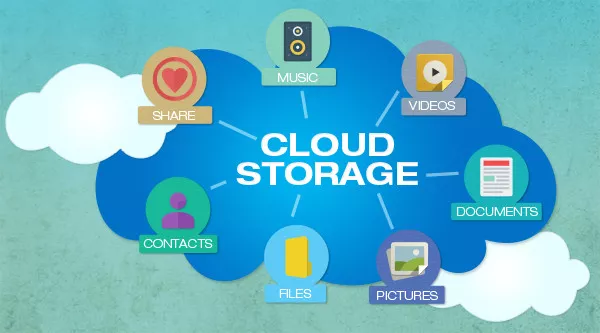
Cloud storage means your files don’t have to haunt your computer’s hard drive or that old USB stick gathering dust. Instead, your data is stored remotely on servers maintained by others. This means your important documents and photos rest safely in a digital vault somewhere out there, ready for you whenever you need them.
One major perk of cloud storage over traditional hard drives is that you don’t have to lug around or protect a physical device. Lost your flash drive? Oops. With cloud storage, your files stay put no matter what. Sharing is a breeze too - simply share a folder link, and your colleagues get instant access. No more email attachments clogging your inbox or awkward USB swaps.
Let’s talk dollars. Buying tons of physical storage can get pricey and cumbersome. Cloud storage flips the script with affordable, flexible plans that let you pay only for what you need. Whether you're storing a few files or mountains of data, it’s a smarter investment that saves your wallet and your desk space.
Behind the scenes, cloud storage runs on a web of powerful data servers housed in secure data centers. These servers are owned and maintained by providers who handle all the tech headaches. Upload your files through the web, desktop, or mobile app and access them anytime, anywhere - all you need is an internet connection.
With Rabata’s secure cloud storage, uploading and protecting your files couldn’t be easier. You can toss nearly any type of file into your online vault. Ready to switch devices? No problem. Your data follows you around seamlessly, whether you’re on a smartphone, tablet, or laptop.
Think of Rabata’s cloud as a digital insurance policy. Your files are safeguarded off-site, so when disasters strike or your hard drive crashes, you still have uninterrupted access to everything important. It’s peace of mind wrapped in ones and zeros.
Businesses appreciate the resource savings too. Managing local servers eats up time, money, and energy. Cloud storage with Rabata lets teams pick the right plan to match their needs, slashing maintenance costs and shrinking their environmental footprint all at once.
Rabata offers tailored cloud storage solutions for everyone - whether you’re flying solo, running a small business, or managing a large enterprise. Store your data securely, collaborate effortlessly, and access your files from multiple gadgets, no matter where your workday takes you.
For business users, Rabata brings more than just storage. Expect handy collaboration tools, productivity boosters, and top-tier security measures like two-factor authentication to keep your data locked down and only shared with the right people.
The price tag depends on how much cloud real estate you need. Rabata’s flexible plans cover personal storage all the way up to massive team requirements. If you’re just starting out, the free Basic plan offers a generous 2GB of storage-a perfect little starter home for your files.
Need more room? Rabata Enterprise plans scale up with your business, providing storage that grows alongside your files. Teams on the Advanced plan might even score extra space when necessary, as long as it’s a reasonable request that keeps the system balanced and efficient.
Accessing your Rabata cloud storage is a snap. On your phone, just fire up the app using Wi-Fi. On your computer, log in via your browser or the desktop app-whether you’re on Windows, Mac, or Linux. The key requirement is an internet connection to upload new files or sync recent changes.
Starting with Rabata’s Basic free plan gets you 2GB of cloud space and lets you send files up to that size. When you need to stash or share bigger files, upgrading is as easy as a click, unlocking more storage and higher transfer limits.
And yes, Rabata knows work doesn’t stop when the Wi-Fi drops. You can mark files and folders for offline access, letting you keep rolling from any device, anywhere. Once you’re back online, Rabata seamlessly syncs your changes to keep everything up to date.